Contact sales

Our software caters to all the verticles of equipment rental businesses. Have other plans? Share yours.

Chat with us

Contact sales

Our software caters to all the verticles of equipment rental businesses. Have other plans? Share yours.

Chat with us
RentInnoLogo
Quotation

Quotation management for rental business

Stop piecing together quotes across different tools. Each quotation - customer details, fees, discounts is built and sent from one place in minutes.

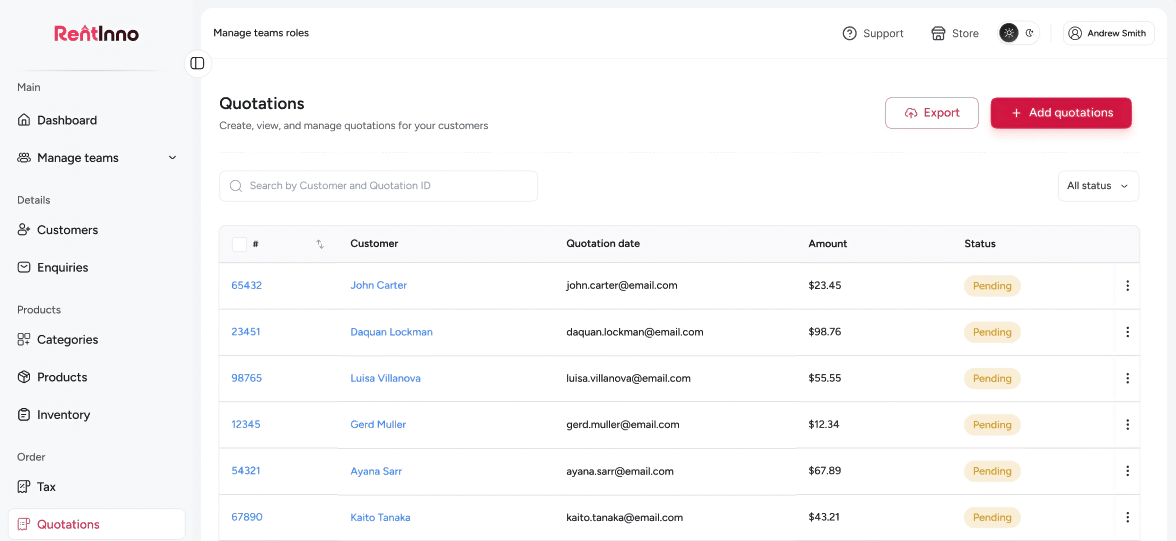
RentInno quotation management dashboard

Every part of your quotation workflow - handled without the manual work

Customer details captured on every quotation

Every quotation is tied to a customer from the moment it is created. Search for an existing customer or add a new one - then set the Pickup / Return date, and your quotation is ready. No switching between screens. No copy-pasting customer details.
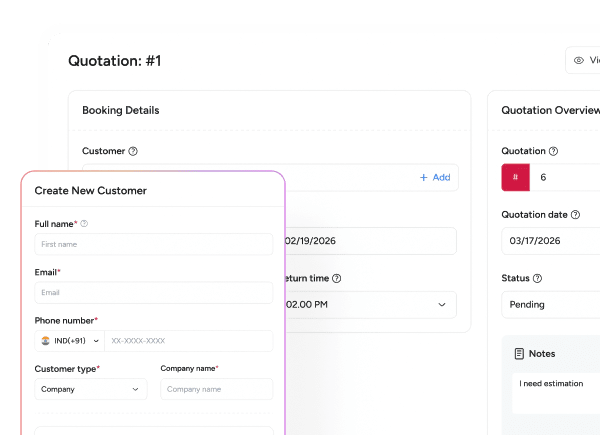
Customer details captured on every quotation

Products added with the total calculated by duration

Add the products your customer wants to rent, set the Pickup / Return date, and the subtotal calculates itself. No spreadsheet. No manual rate calculations. The right number is always in front of you.

Products added with the total calculated by duration

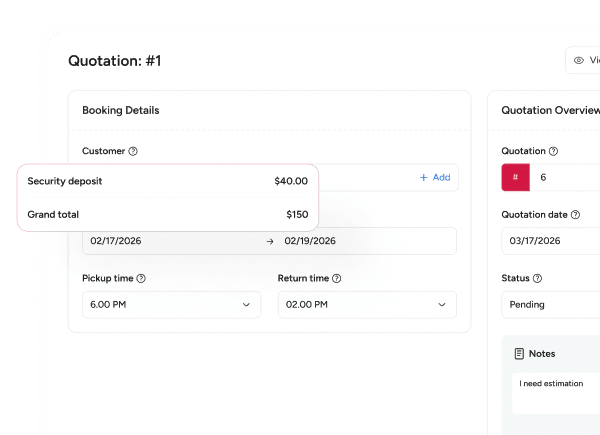
A security deposit is set on every quotation

Every rental carries a risk - damage, late returns, items not coming back at all. A security deposit on the quotation means you are covered before the equipment leaves. Set it once per product, and it appears on every quotation automatically. Claimed when a unit is marked as Damaged or Lost on return.

A security deposit is set on every quotation

Fees and discounts are built into every quotation

Most quotes miss something - a delivery charge, a discount that was promised, or an extra fee agreed on the phone. With RentInno, every fee and discount is built into the quotation before it goes out. The Sub total updates as you add them. Nothing falls through the cracks.

Fees and discounts are built into every quotation

Every quotation status is tracked in one place

Without status tracking, you are calling customers to find out if they approved the quote. With RentInno, every quotation carries a status - Pending, Received, Accepted, or Rejected - so you always know where things stand without following up manually.

Every quotation status is tracked in one place

One click to convert an accepted quotation into an order

When a customer accepts a quotation, it converts to an order with one click. All the details - customer, products, dates, fees - carry over automatically. No retyping. No starting from scratch.

One click to convert an accepted quotation into an order

From quotation to order - here is what comes next

Orders

When a quotation is accepted, it converts to an order with one click. Manage the full rental from confirmation to return inside RentInno.

See how Orders work
Rental Contracts

Every order comes with a contract. Send it to your customer, collect the signed PDF, and verify it before the rental begins.

Invoice and Payments

Collect full or partial payment directly from the order. Cash, card, bank transfer, or Stripe - all supported inside RentInno.

Orders

Still building quotes manually?

Add your customer, select your products, set the dates, and send a professional quotation in under two minutes - free to start, no installation, no credit card needed.

Frequently asked questions 

What is a quotation in RentInno?
A quotation is how you tell a customer exactly what they are renting, for how long, and how much it costs - before anything is confirmed. Once they approve it, it becomes an order with one click.
Go to the Quotations section and click Add quotation. Add the customer, set the dates, add products, apply any fees or discounts, and send. The whole thing takes under two minutes.
Yes. When adding a quotation, you can search for an existing customer or create a new one directly from the Booking details section without leaving the quotation form.
A quotation is a price proposal sent to the customer for approval. Once the customer accepts it, the quotation converts to an order with one click, and the rental process begins.
What details can I add to a quotation?
Every quotation includes customer details, pickup and return date and time, products with quantity, delivery fee, pickup fee, other fees, discount, and notes. The Sub total and Grand total are calculated automatically.
RentInno calculates the Sub total automatically based on the products added and the rental duration. Fees and discounts update the total in real time - no calculator needed.
Yes. Add a discount as a fixed dollar amount or as a percentage. The Sub total updates automatically when the discount is applied.
Yes. Delivery, pickup, and any other charge are added as separate line items - each one visible to the customer on the quotation. Nothing hidden. Nothing missed.
What statuses does a quotation have in RentInno?
Instead of calling customers to find out if they read your quote - the status tells you. Pending means not yet viewed. Received means seen. Accepted means approved. Rejected means they said no. No follow-up calls needed.
Pending is the default status when a quotation is first created. It means the quotation has been created but not yet sent or viewed by the customer.
When a quotation is Accepted, one click converts it to an order. All the details carry over automatically - no retyping, no starting from scratch.
Search by Customer name or Quotation ID from the Quotations list page. You can also filter the list by status to see only Pending, Received, Accepted, or Rejected quotations.
How do I convert a quotation to an order?
Open the Accepted quotation and click Convert to order. Every detail - customer, products, dates, fees - moves across automatically. The order is ready before you finish the call.
Yes. You can edit any field on the quotation before converting it. Once converted, the order reflects the final version of the quotation.
Once converted, the quotation status moves to Closed and the order takes over. Your full history stays intact - customer, products, dates, and fees all carried across.
Yes. You can resend a quotation to your customer directly from the quotation detail page at any time before it is converted to an order.
Contact us through whatsapp